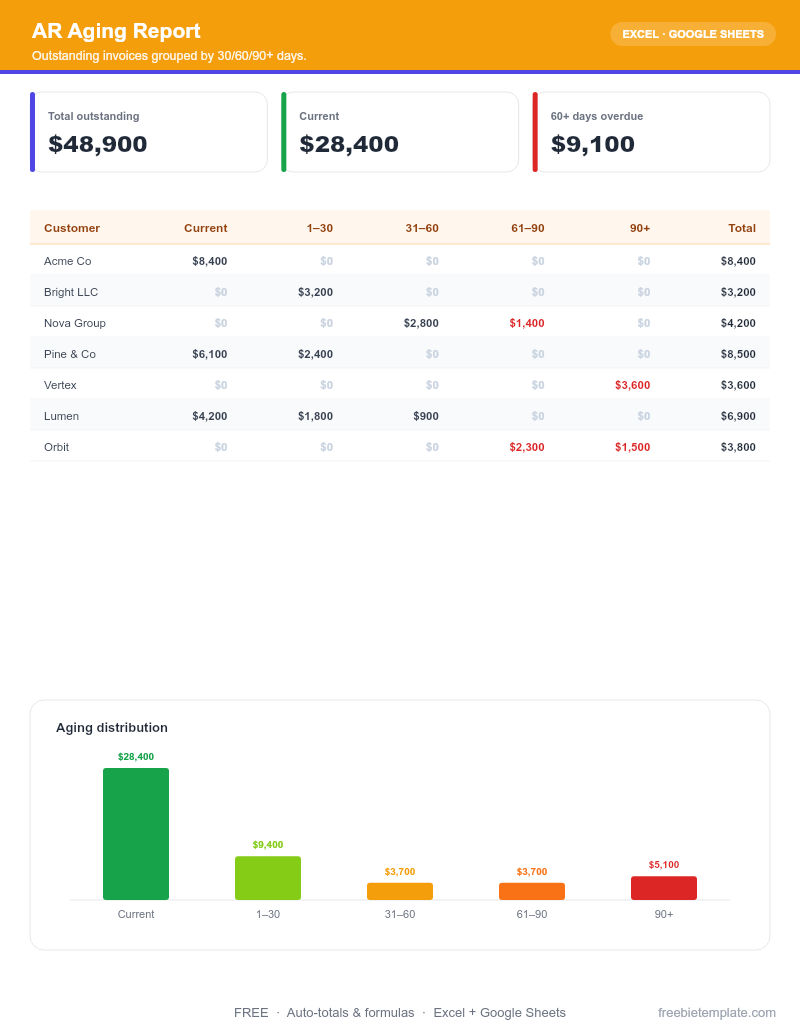
Free Accounts Receivable Aging Report Template
Outstanding invoices grouped by 30/60/90+ days.
Save this file straight to your Drive, then open it with Google Sheets — no download needed.
- ✓30/60/90+ buckets
- ✓Total outstanding
- ✓Customer roll-up
About this template
An accounts receivable aging report (also called an A/R aging schedule) sorts every unpaid customer invoice by how overdue it is — current, 1–30, 31–60, 61–90, and 90+ days. It instantly shows which money is healthy and which is at real risk of never being collected.
This free Excel template rolls those buckets up by customer and in total, so a 30-second glance tells you who to call today. Use it at month-end for your books, before a financing conversation, or any week cash feels tight.
What's included
- Per-invoice rows: customer, invoice number, invoice date, due date, and amount
- Automatic aging buckets — Current, 1–30, 31–60, 61–90, and 90+ days
- Customer roll-up so each client’s total exposure is on one line
- Grand totals per bucket and total outstanding receivables
- A column to flag disputed or promised-to-pay invoices
How to use it
- Set your report date. Aging is measured against a date. Set it to today (or your period end) and every invoice ages from its due date relative to that.
- List every open invoice. Enter one row per unpaid invoice: customer, number, date, due date, and amount. Skip anything already paid.
- Let it bucket automatically. The template compares each due date to your report date and drops the amount into the right column — no manual sorting.
- Work the report top-down. Start with the 90+ and 61–90 columns — that is the money most likely to be written off. Call those customers first.
- Re-run it weekly. A/R aging is most useful as a habit. Update it weekly so a slow-paying customer never becomes a surprise bad debt.
License: Free for personal and commercial use. No attribution required. Do not resell the template itself.
Frequently asked questions
What is an accounts receivable aging report?
It is a list of your unpaid customer invoices grouped by how overdue they are (current, 30, 60, 90+ days). It shows the health of your receivables and which accounts to collect on first.
What are the standard aging buckets?
The conventional buckets are Current (not yet due), 1–30, 31–60, 61–90, and 90+ days past due. This template uses exactly those.
How do I calculate the aging of an invoice?
Subtract the invoice due date from your report date. The result, in days, decides the bucket. The template does this automatically once you enter the due date.
Why do accountants and lenders ask for an A/R aging?
It reveals collection risk. A receivables balance that is mostly 90+ days old is worth far less than one that is current, so it directly affects how a lender or buyer values your business.
Is the template free for business use?
Yes — free for personal and commercial use, no signup or watermark. Do not resell the template itself.