How to Create an Invoice That Gets Paid Fast
A clear invoice gets paid faster. Here is exactly what to include and how to send one that leaves no room for confusion.
Step 1 — Add your details and a number
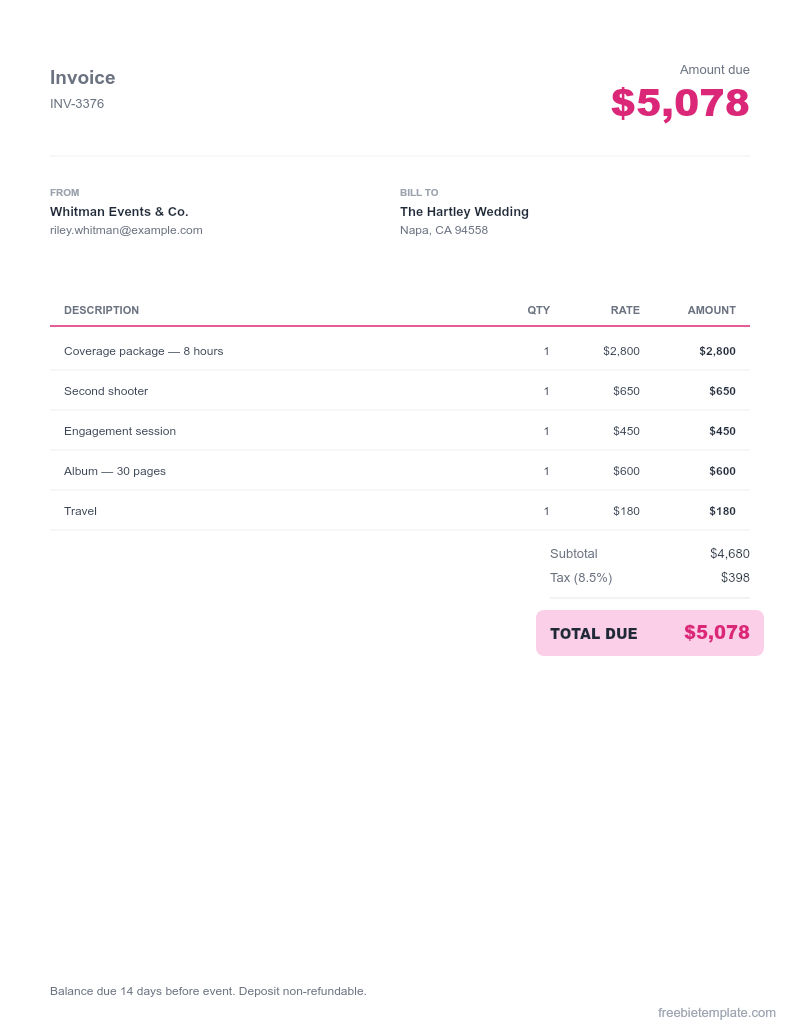
Put your business name, contact info, and a unique invoice number at the top. Numbering keeps your records straight and looks professional.
Step 2 — List the work, itemized
Break the work into line items with description, quantity, rate, and amount. Vague invoices invite questions and delays.
Step 3 — Show totals and tax clearly
Subtotal, any tax, and a bold total. Our invoice templates calculate these automatically once you fill in the line items.
Step 4 — State payment terms and how to pay
Add the due date (e.g. "Net 15"), accepted payment methods, and any late fee. Clear terms mean fewer awkward follow-ups.
Disclaimer. This guide and our templates are for general personal and informational use, provided as-is. For financial, medical, or legal decisions, consult a qualified professional. Read our editorial policy.